
To be able to program the ESP32 using Arduino IDE, you need to add support for the ESP32 boards. Follow the next steps:
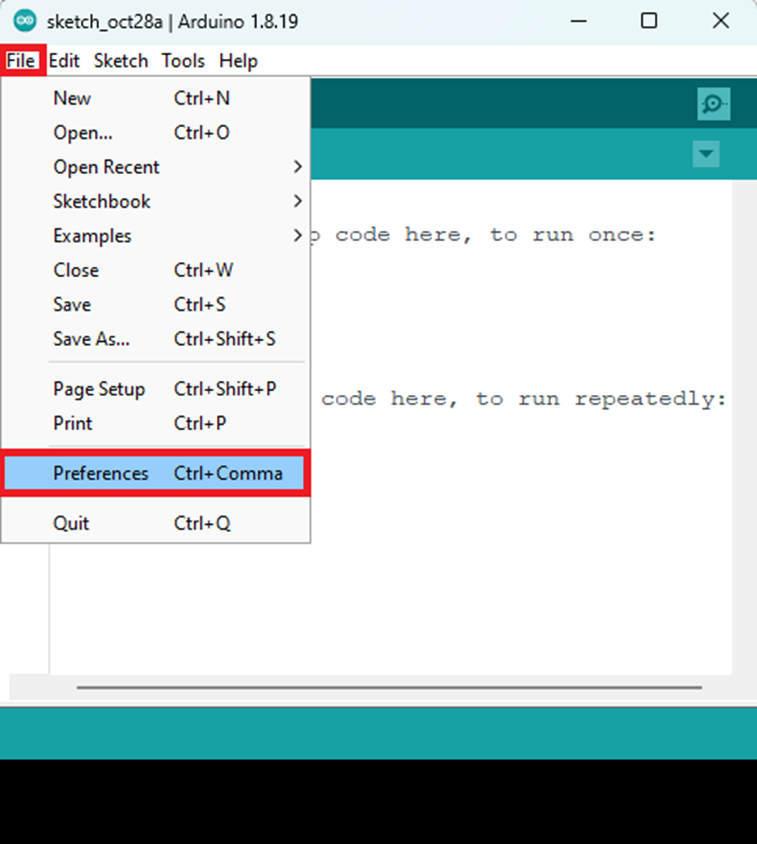
- Go to File > Preferences.
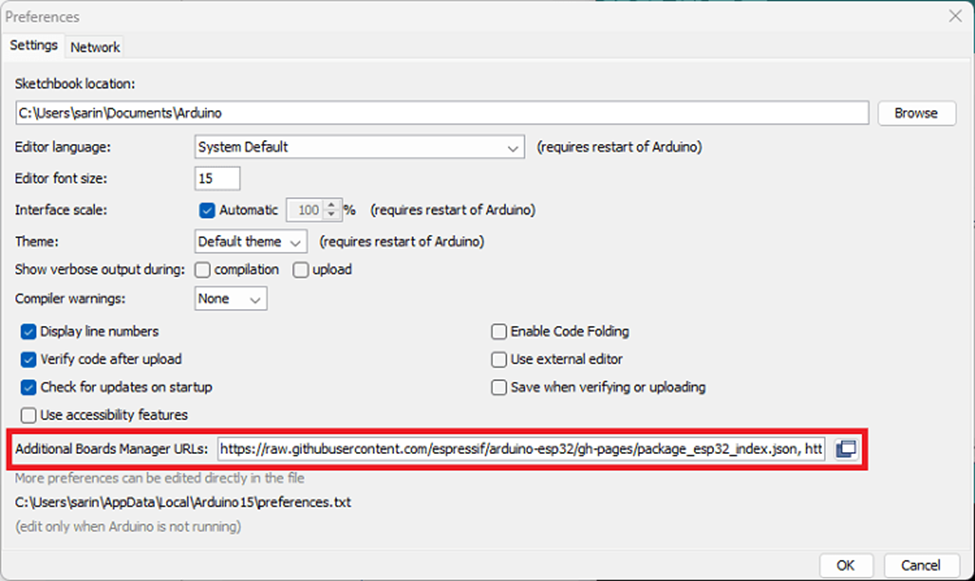
- Enter the following into the “Additional Board Manager URLs” field. This will add support for ESP32 and ESP8266 boards as well.
https://raw.githubusercontent.com/espressif/arduino-esp32/gh-pages/package_esp32_index.json, http://arduino.esp8266.com/stable/package_esp8266com_index.json
See the figure below. Then, click the “OK” button.
- Open the Boards Manager. Go to Tools > Board >Boards Manager…
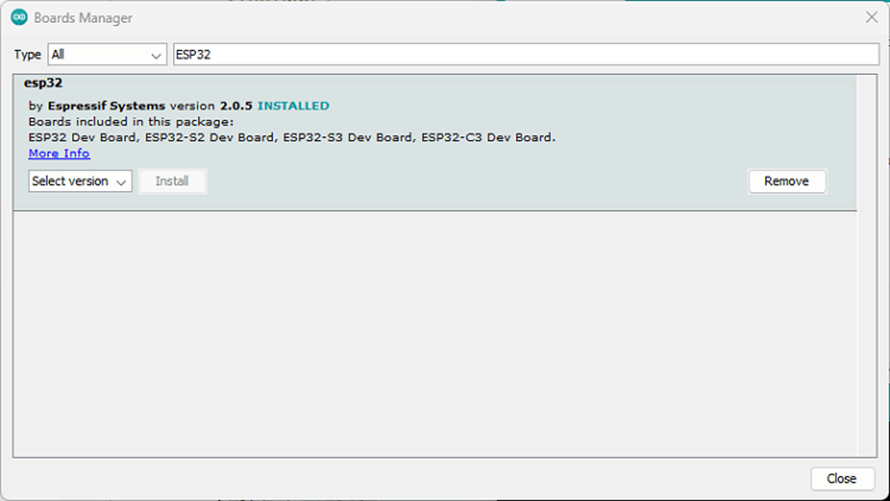
- Search for ESP32 and install the “ESP32 by Espressif Systems“:
That’s it. It will be installed after a few seconds.
After this, restart your Arduino IDE.
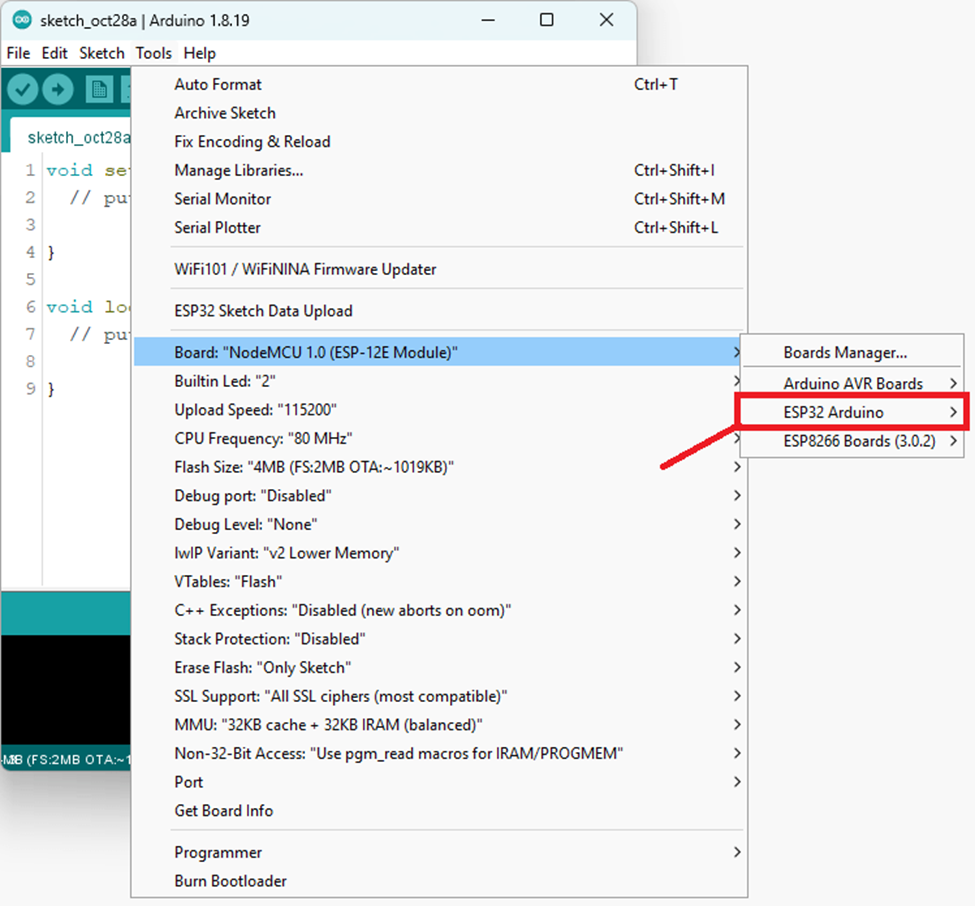
Then, go to Tools > Board and check that you have ESP32 boards available.
Now, you’re ready to start programming your ESP32 using Arduino IDE.